

In the ever-evolving world of digital marketing and social media, visual content is king, and Facebook remains one of the most powerful platforms for businesses, content creators, and influencers alike. However, if your images and videos aren’t sized correctly, your content may appear blurry, cropped, or unprofessional, which leads to poor engagement and missed opportunities.
To maximize visibility and effectiveness on Facebook, it’s critical to follow the latest recommended sizes for posts, videos, stories, ads, and cover photos. This guide, based on the most up-to-date size chart (as shown in the attached infographic), will help you stay ahead.
Let’s explore the Facebook image and video size guide to ensure your content looks stunning and performs well across all devices.
Why Facebook Image and Video Sizes Matter
You’ve worked hard to create your content, don’t let poor sizing ruin it!
Here’s why getting dimensions right is so important:
- Avoid cropping and distortion
- Maximize screen space on mobile and desktop
- Boost engagement and click-through rates
- Look professional and branded
- Ensure your ads are approved and effective
Facebook’s algorithm also favors high-quality visuals, particularly those optimized for mobile devices. Let’s dive into the best sizes and formats to make your content stand out.
Facebook Post Size Overview
Here’s a quick cheat sheet for the most common Facebook post types:
Facebook Video Size Guide (2025 Update)
| Post Type | Recommended Size (px) | Aspect Ratio | Notes |
| Image Post | 1200 x 630 | 1.91:1 | Landscape style works well |
| Square Post Image | 1080 x 1080 | 1:1 | Best for engagement |
| Vertical Post Image | 1080 x 1350 | 4:5 | Optimized for mobile |
| Facebook Stories | 1080 x 1920 | 9:16 | Full-screen mobile view |
| Event Cover Photo | 1200 x 628 | 1.91:1 | Similar to link preview |
| Group Cover Photo | 1640 x 856 | 1.91:1 | No text overlap |
| Facebook Ads | 1080 x 1080 | 1:1 or 4:5 | Use minimal text for ads |
| Facebook Reels | 1080 x 1920 | 9:16 | Full-screen mobile vertical view |
Video is king on Facebook—and when you optimize for the right size, your content has a much higher chance of being seen and shared.
Let’s break down the best practices and recommended Facebook video sizes for each format:
Facebook Video Size for Feed
- Recommended Dimensions: 1080 x 1350 px
- Aspect Ratio: 4:5
- Max File Size: 4 GB
- Length: Up to 240 minutes
- Format: MP4, MOV
Why 4:5?
The 4:5 aspect ratio is ideal for mobile viewing because it takes up more vertical space on the screen, catching attention as users scroll.
Facebook Video Size 4:5
The 4:5 ratio has become the sweet spot for video in 2025. It’s taller than a square but doesn’t take over the full screen like Stories or Reels. Here’s why it’s ideal:
- Great balance between desktop and mobile
- Less likely to be cropped
- Perfect for feed videos and ads
Use 1080 x 1350 pixels to get the best clarity and proportions.
Facebook Long Video Size Ratio
If you’re uploading longer-form videos—like tutorials, vlogs, or webinars—your aspect ratio and file compression matter even more.
Best Practices:
- Keep aspect ratio at 4:5 or 16:9
- Use H.264 compression
- Use MP4 format
- Maintain high resolution (minimum 720p)
Want to go widescreen? Use 1920 x 1080 px (16:9) for horizontal storytelling, but remember, it won’t fill the screen on mobile like 4:5 or 9:16 will.
Facebook Video Size for Mobile
With over 90% of Facebook users accessing the platform on mobile, you should always prioritize mobile-first formats.
Recommended Mobile Video Size:
- Aspect Ratio: 4:5 or 9:16
- Resolution: 1080 x 1350 px (4:5) or 1080 x 1920 px (9:16)
- Frame Rate: 30 fps or higher
- Max File Size: 4 GB
Pro Tip: Use subtitles! Many users watch with sound off.
Facebook Video Size Pixels: All Common Resolutions
| Format | Aspect Ratio | Pixel Size (W x H) |
| Square | 1:1 | 1080 x 1080 |
| Vertical Feed | 4:5 | 1080 x 1350 |
| Fullscreen | 9:16 | 1080 x 1920 |
| Landscape | 16:9 | 1920 x 1080 |
| Classic Feed | 1.91:1 | 1200 x 628 |
These dimensions ensure clarity and performance across devices.
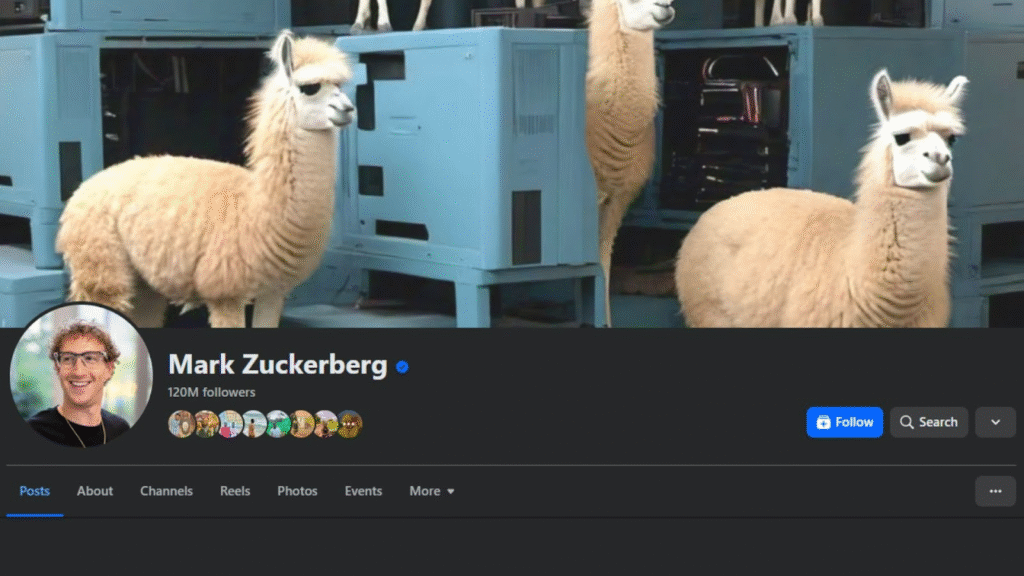
Facebook Photo Size Ratio and Tips
Images might not be moving, but they still carry a big impact. Here’s what you need to know to size your photos properly on Facebook:
Ideal Facebook Image Sizes
- Profile Picture: 400 x 400 px (1:1)
- Cover Photo: 820 x 312 px (2.63:1)
- Shared Image: 1200 x 630 px (1.91:1)
- Square Photo Post: 1080 x 1080 px (1:1)
- Vertical Post: 1080 x 1350 px (4:5)
- Stories: 1080 x 1920 px (9:16)
Tips for Optimizing Facebook Images:
- Keep important text in the center (especially for mobile)
- Use high-resolution JPG or PNG files
- Try not to exceed 100KB for fast loading
- Avoid over-compressing
For professional photo editing, background removal, and retouching, check out our services at AITInsider – we’re here to make your images shine.
Facebook Ad Sizes & Best Practices
When it comes to Facebook Ads, every pixel counts. Poorly sized images or videos can cost you impressions and budget.
| Ad Format | Recommended Size (px) | Aspect Ratio | Platform Placement |
| Image Ad | 1200 x 628 | 1.91:1 | Feed, Marketplace |
| Carousel Image | 1080 x 1080 | 1:1 | Feed, Story |
| Video Ad | 1080 x 1350 | 4:5 | Feed |
| Story/Reels Ad | 1080 x 1920 | 9:16 | Story, Reels |
Ad Design Tips:
- Use minimal text (less than 20% of the image)
- Include your logo
- Stick to Facebook’s file specs (MP4 for video, JPG/PNG for image)
Curious about more Facebook ad tips? Check out this guide by Meta.

Advanced Facebook Image & Video Optimization Tips
Now that we’ve covered the most important Facebook image & video sizes, let’s go a step further and dive into advanced tips and strategies to make your content not just correctly sized, but visually irresistible.
Carousel Post Sizes and Best Practices
Carousel posts allow you to showcase up to 10 images or videos in a single swipeable post. They’re great for storytelling, product showcases, or step-by-step tutorials.
Carousel Image & Video Specs:
| Element | Size (px) | Aspect Ratio | Format | Max File Size |
| Image | 1080 x 1080 | 1:1 | JPG or PNG | 30 MB |
| Video | 1080 x 1080 | 1:1 | MP4 or MOV | 4 GB |
Carousel Tips:
- Start with a strong first card to hook your audience.
- Maintain visual consistency across all slides.
- Add captions or text overlays for clarity.
- Use high-quality images with a consistent color palette.
Bonus Tip: Carousel ads perform especially well for e-commerce, so if you’re selling a product, this is a must-try format!
Facebook Stories & Reels: Fullscreen Engagement
With attention spans shrinking, Facebook Stories and Reels are powerful tools for grabbing users’ attention quickly.
Facebook Stories Size Guide
- Size: 1080 x 1920 px
- Aspect Ratio: 9:16
- File Type: JPG, PNG, MP4
- Duration: Up to 20 seconds per slide (video)
Facebook Reels Video Size
- Size: 1080 x 1920 px
- Aspect Ratio: 9:16 (vertical)
- Duration: Up to 90 seconds (organic), up to 60 seconds (ads)
- Max File Size: 4 GB
Reels Optimization Tips:
- Add closed captions to maximize engagement.
- Keep important elements away from the top and bottom edges to avoid being blocked by UI overlays.
- Use dynamic transitions and trendy music.
Don’t forget, consistency is key! Using the correct size keeps your branding sharp and professional.
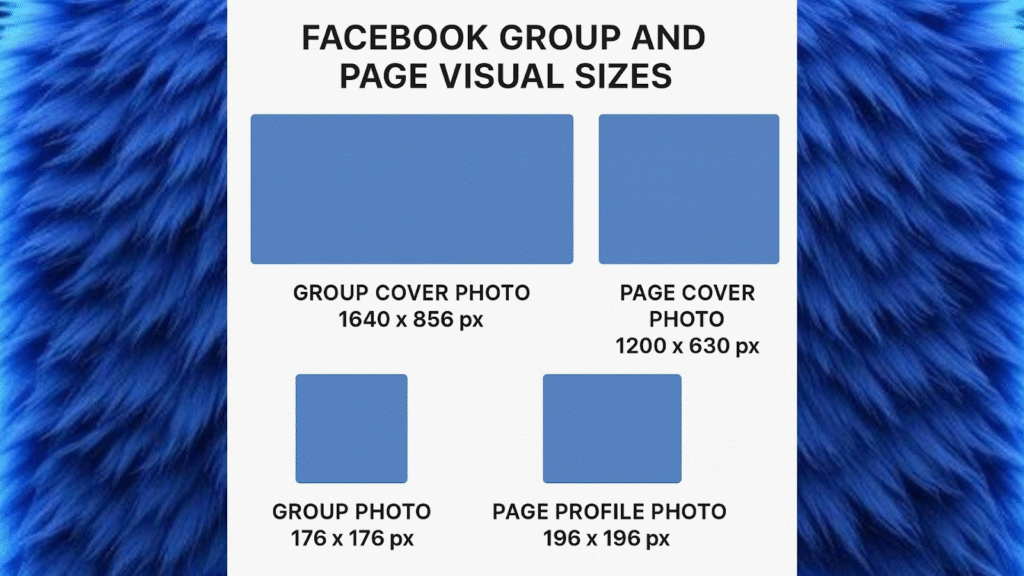
Facebook Group and Page Visual Sizes
Managing a Facebook Group or Business Page? You’ll need to know the correct specs to keep everything on-brand.
Facebook Group Cover Photo
- Size: 1640 x 856 px
- Aspect Ratio: 1.91:1
- Visible on Desktop: Centered crop—ensure vital text stays within the safe area (1240 x 650 px)
Facebook Page Cover Photo
- Recommended Size: 820 x 360 px
- Mobile Safe Zone: Keep essential elements in the center (640 x 312 px)
Profile Photo
- Size: 400 x 400 px (Displays as a circle)
- Tips: Use a centered logo or portrait, avoid cropping details on edges
These are perfect opportunities to visually reinforce your brand.
Image Compression, File Types & Quality Settings
You’ve got the right sizes… but how do you keep your image quality crisp without making file sizes too large?
Best File Types for Facebook
| File Type | Best For | Notes |
| JPG | Standard photos | Great balance of quality and size |
| PNG | Logos, Text-heavy graphics | Supports transparency, higher quality |
| MP4 | All Facebook videos | Use H.264 codec for best results |
Compression Tips
- Use tools like TinyPNG or Squoosh to compress images.
- Avoid saving screenshots or low-res exports—start with high-quality originals.
- Facebook applies its compression, so optimize before uploading to control the results.
For businesses or creators dealing with a large number of assets, professional image editing and resizing can be a huge time-saver. That’s where AITInsider can help! 👉 Learn more here.
Downloadable Facebook Image & Video Size Template (Optional)
Want to speed up your workflow? Create your visuals using a Photoshop or Canva template that’s pre-sized for each format:
- Square post: 1080 x 1080
- Vertical post: 1080 x 1350
- Stories/Reels: 1080 x 1920
- Cover photo: 820 x 312
You can even make your own downloadable template kit, or check out popular sources like Canva or Figma.
Facebook Image & Video Size FAQ (2025)
What’s the best Facebook video size ratio for mobile?
4:5 is the best for mobile feed. If you’re creating Stories or Reels, go with 9:16 for full screen.
Is 1080p good enough for Facebook videos?
Yes! 1080p (Full HD) is the standard and works beautifully. Facebook’s default resolution is often reduced unless you manually upload HD content.
Can I post a 4K video to Facebook?
Yes, but it will be compressed. Keep your bitrate reasonable and use H.264 MP4 format. If you prioritize image quality, 4K might be worthwhile, but 1080p is more than sufficient for most uses.
What’s the Facebook post size for photos?
- Best size: 1200 x 630 px (for horizontal images)
- Square: 1080 x 1080 px
- Vertical: 1080 x 1350 px
How can I ensure my images don’t appear blurry on Facebook?
- Upload using the recommended sizes
- Stick to JPG or PNG
- Compress images before uploading to avoid Facebook over-compression
- Use the “Upload HD” setting in your Facebook settings
Final Thoughts: Let aitinsider Help You Stand Out
We know that keeping up with the ever-changing rules of social media design can feel overwhelming. That’s why we created this Facebook Image & Video Size Guide—to take the guesswork out of content creation.
But here’s the thing: Even when you know the right sizes, editing your content to match Facebook’s design guidelines takes time and effort.
That’s where we come in.
At aitinsider, we offer professional image editing services from background removal and photo resizing to full-scale retouching. We help brands, influencers, and marketers ensure that their visuals look pixel-perfect every time.
Whether you’re creating:
- Scroll-stopping ads
- Professional product posts
- Branded Reels
- Or stylish Facebook Stories
…aitinsider is here to make your content shine.