
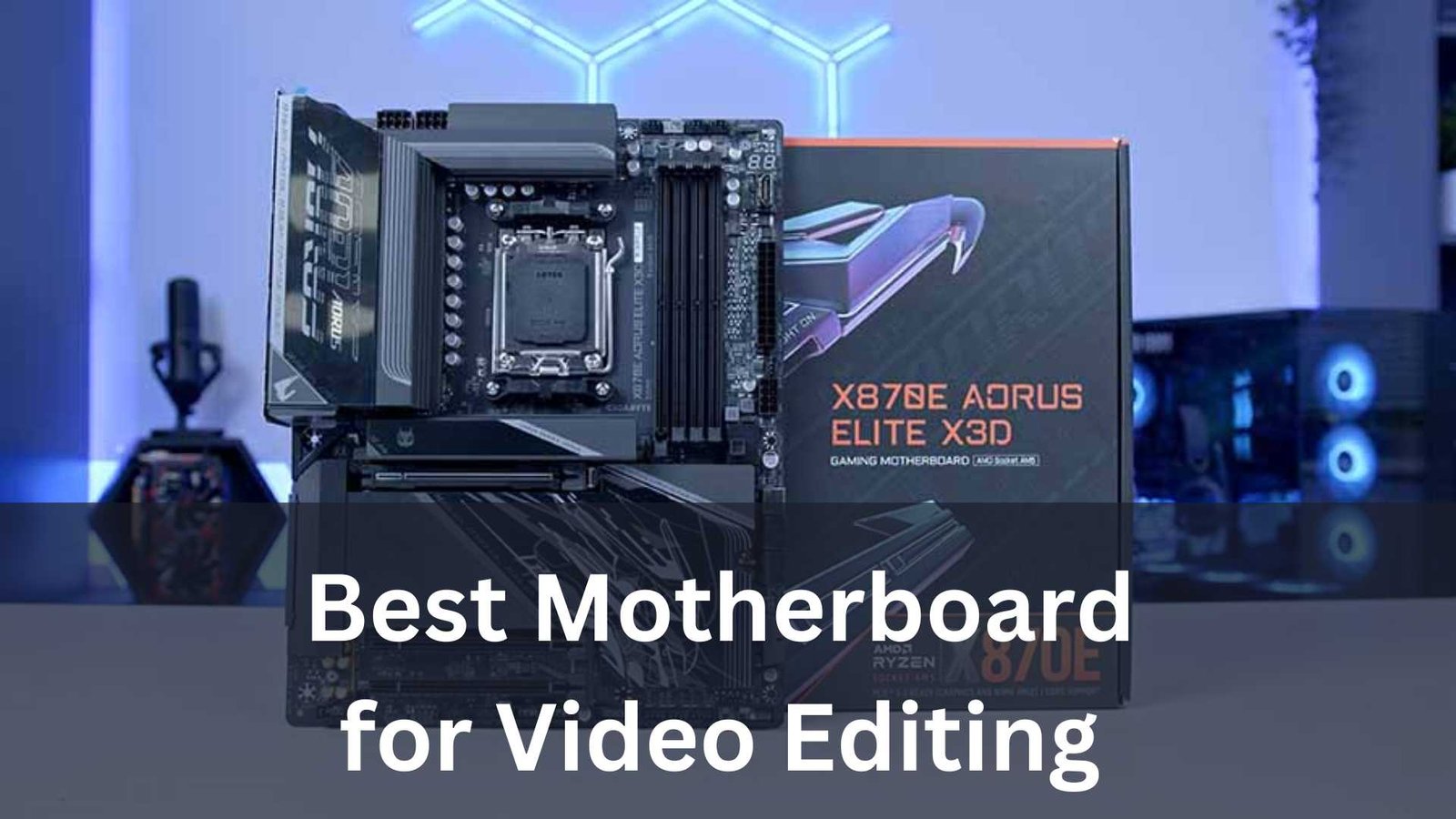
Choosing the right motherboard is one of the most important steps when building or upgrading a PC for video editing. Many people focus on the CPU and GPU first, which makes sense, but the motherboard is the platform that connects everything together. It determines how fast your storage can run, how much RAM you can install, how stable your system will be during long rendering sessions, and how future-proof your setup really is.
If you are working with 4K or 8K footage, large project files, color grading, and heavy effects, your system will be under constant load. In those situations, a weak or outdated motherboard can quietly become the bottleneck that slows everything down. That is why finding the Best Motherboard for Video Editing is not just about brand names or fancy features, but about choosing a board that fits your workflow, your budget, and your long-term plans.
In this guide, I will walk you through what truly matters in a video editing motherboard, explain which features actually help in real-world editing, and then share some of the top motherboard picks for 2026. The goal is to make this easy to understand, even if you are not deeply technical, while still giving you enough detail to make a confident buying decision.
Whether you are a YouTuber, freelance editor, content creator, or building a workstation for professional studio work, this article is designed to help you compare options and choose the Best Motherboard for Video Editing based on practical needs, not marketing hype.
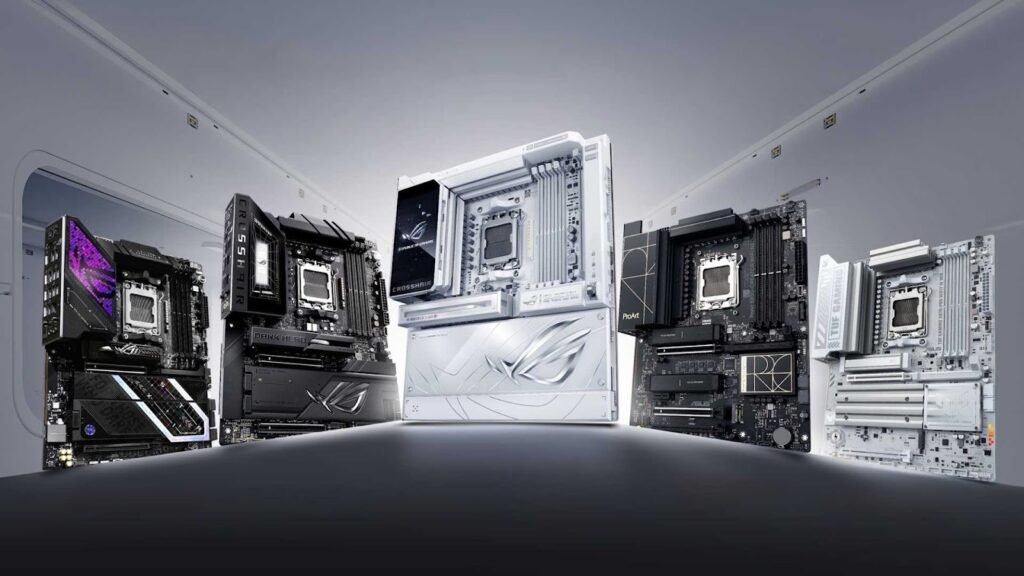
Why the motherboard matters so much for video editing
When you press “export” on a large project, your CPU, GPU, RAM, and storage all start working hard at the same time. The motherboard controls how well these components communicate with each other. A good motherboard provides stable power delivery, high-speed data lanes, and enough expansion options to support your current setup and future upgrades.
For video editing, this matters more than in normal office or gaming PCs. Editing software like Premiere Pro, DaVinci Resolve, and Final Cut alternatives for Windows can push hardware to its limits. Slow storage connections can delay file loading. Weak power delivery can cause throttling. Limited RAM support can restrict your ability to work with complex timelines.
That is why professionals always treat the motherboard as the foundation of the system. If the foundation is strong, everything else performs better.
Key features to look for in the Best Motherboard for Video Editing
Before we dive into specific models, it helps to understand what makes a motherboard good for editing workloads in the first place. Not all features advertised on the box are equally useful, so let’s focus on the ones that truly matter.
CPU compatibility and chipset quality
Your motherboard must support the processor you plan to use, whether that is a high-end Intel Core i9, an AMD Ryzen 9, or even a workstation-class CPU. The chipset determines what features are available, such as PCIe version, number of storage devices, and USB speed.
For 2026, modern chipsets like Intel Z890 or AMD X870 and B850 series (or their real-world equivalents at that time) are ideal because they support the latest CPUs, faster memory, and newer storage standards. A strong chipset is the starting point for building the Best Motherboard for Video Editing.
RAM capacity and stability
Video editing eats RAM. Even casual editors benefit from 32 GB, while professionals often use 64 GB or more. Your motherboard should support high memory capacities and fast memory speeds, but stability is even more important than raw speed.
Look for boards that support at least 128 GB of RAM and have good memory compatibility. This ensures that your system will stay responsive even when multiple applications are open and timelines are heavy.
Storage support and PCIe lanes
Fast storage dramatically improves editing performance. NVMe SSDs connected through PCIe Gen 4 or Gen 5 allow you to load footage faster, scrub timelines smoothly, and export projects more quickly.
A strong editing motherboard should have multiple M.2 slots and enough PCIe lanes to run them at full speed without slowing down your GPU. This is a major reason many creators search specifically for the Best Motherboard for Video Editing rather than a generic gaming board.
Power delivery and cooling design
Long rendering sessions can last for hours. During that time, your CPU may run close to full load. A motherboard with a strong VRM (voltage regulation module) and proper heatsinks ensures stable power delivery and prevents overheating.
This directly affects performance consistency. A cheap board may work fine for short tasks but struggle under professional workloads.
Connectivity for creators
Editors often use multiple external drives, cameras, audio interfaces, and monitors. High-speed USB ports, Thunderbolt or USB4 support, and 10-gigabit Ethernet are becoming more common in professional setups.
A good motherboard should make your workflow smoother, not force you to rely on adapters or extra cards.
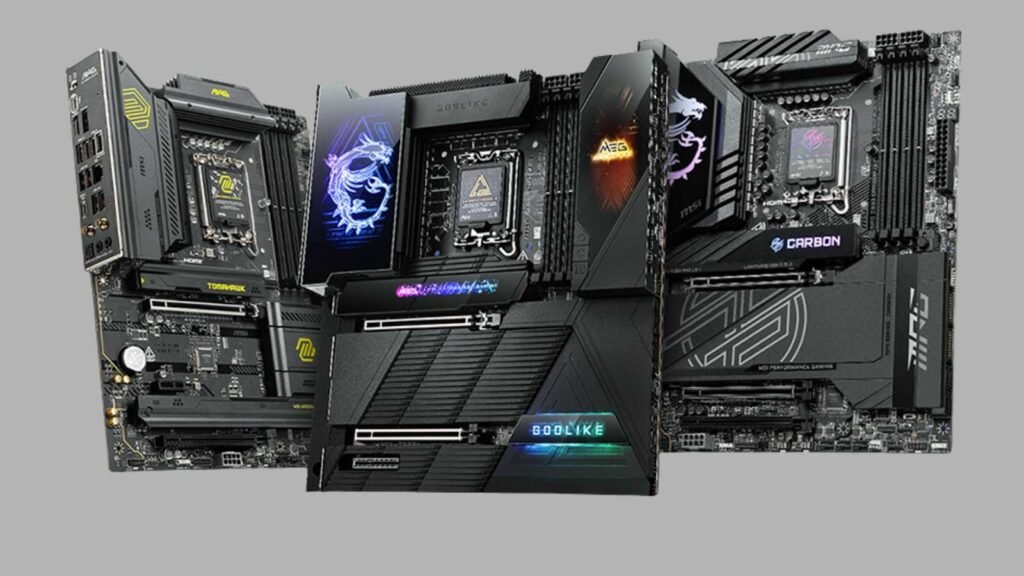
Best Motherboard for Video Editing in 2026: Top picks overview
Now let’s look at some of the best choices available in 2026. These motherboards are selected based on performance, stability, expansion options, and overall value for video editors.
I will explain who each board is best for, what makes it special, and what type of editor should consider it.
ASUS ProArt Z890-Creator WiFi
The ASUS ProArt series has become a favorite among creative professionals, and for good reason. This motherboard is designed specifically for creators rather than gamers, which already puts it in a strong position as a candidate for the Best Motherboard for Video Editing.
The ProArt Z890-Creator focuses on stability, connectivity, and professional features. It supports the latest Intel CPUs, fast DDR5 memory, and multiple PCIe Gen 5 slots for GPUs and SSDs. This means you can build a system that stays relevant for several years.
One of the standout features is its connectivity. It offers Thunderbolt support, multiple high-speed USB ports, and 10-gigabit Ethernet. For editors who move large files between systems or work directly from external SSDs, this is a big advantage.
Power delivery is also excellent. The VRM design is robust, and the heatsinks are large and well-placed, which helps keep temperatures under control during long rendering jobs.
This board is ideal for professional editors who want a clean, reliable workstation that can handle demanding projects without surprises. It is not the cheapest option, but for those who earn money from editing, the stability and features easily justify the cost.
MSI MEG X870 ACE
For users building around AMD’s high-end Ryzen processors, the MSI MEG X870 ACE is one of the strongest options available in 2026.
This motherboard is built like a tank. It has a premium layout, heavy cooling, and excellent power delivery, which is important for CPUs with many cores. Video editors who use multi-threaded workloads will benefit directly from this stability.
The board supports large amounts of DDR5 RAM, multiple PCIe Gen 5 SSDs, and advanced networking options. MSI also includes creator-friendly BIOS tools that make system tuning easier, even for users who are not experts.
In real-world editing tasks, this board shines when handling complex timelines, heavy color grading, and effects-heavy projects. It keeps performance consistent, which is exactly what you want when deadlines are tight.
If you are looking for the Best Motherboard for Video Editing on the AMD platform and want something premium that will last several years, this is an excellent choice.
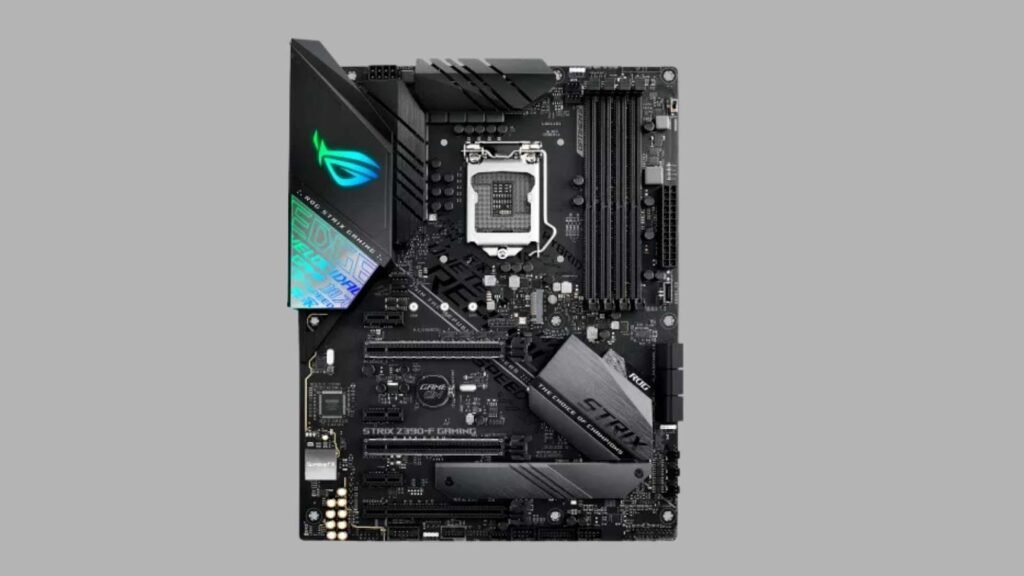
Gigabyte Z890 AORUS Master
Gigabyte’s AORUS Master series is often associated with gaming, but the Z890 version is surprisingly well suited for professional editing as well.
It offers strong power delivery, excellent cooling, and very fast storage support. The board includes several M.2 slots with proper thermal protection, which is perfect for editors who use multiple SSDs for footage, cache files, and backups.
Another advantage is reliability. Gigabyte has improved its BIOS and firmware stability significantly in recent years, making this board dependable for long work sessions.
While it does not focus as heavily on creator branding as the ASUS ProArt series, in practice it performs just as well for editing tasks. It is a good option for users who want top-tier performance but might also use their PC for gaming or other high-performance tasks.
For many users, this strikes a great balance between price and features, making it a serious contender for the Best Motherboard for Video Editing title.
ASRock X870 Taichi
ASRock has quietly built a strong reputation among professionals, and the X870 Taichi continues that trend.
This motherboard is known for its excellent electrical design and solid build quality. It supports high-end AMD processors, large memory capacities, and fast storage configurations, all of which are important for video editing.
One thing editors appreciate about the Taichi series is its long-term stability. Systems built on these boards tend to run smoothly for years, even under heavy workloads.
Connectivity is also well covered, with fast USB ports and high-speed networking options. While it may not have as flashy a design as some competitors, it focuses on what truly matters: performance, stability, and expandability.
For editors who value reliability over looks, the ASRock X870 Taichi is a very smart choice.
Strong mid-range options for video editors in 2026
Not every editor needs a flagship motherboard that costs as much as a mid-range CPU. Many creators, especially YouTubers, freelancers, and small studio owners, want excellent performance without overspending. The good news is that several mid-range boards in 2026 deliver outstanding results for editing workloads and still deserve to be considered among the Best Motherboard for Video Editing options for value-focused buyers.
ASUS TUF Gaming Z890-Plus Creator Edition
Despite the “gaming” label, this board is surprisingly well suited for video editing. ASUS has improved the TUF series significantly in recent years, especially in terms of durability and power delivery.
This motherboard supports the latest Intel processors, fast DDR5 memory, and multiple PCIe Gen 4 and Gen 5 SSDs. It does not include as many premium extras as the ProArt series, but it covers everything a serious editor needs: stable VRMs, good cooling design, and enough connectivity for external drives and accessories.
For editors working mainly in 4K who want smooth timeline performance, fast exports, and a reliable system for daily use, this board offers excellent value. It is often chosen by creators who want professional performance without paying for features they may never use.
MSI MAG X870 Tomahawk WiFi
The Tomahawk line has always been known for reliability, and the 2026 version continues that tradition. This motherboard supports high-core-count AMD processors, large memory configurations, and fast NVMe storage.
What makes it attractive for editing is its strong power delivery and clean thermal design. During long exports, the system remains stable and avoids the sudden performance drops that cheaper boards sometimes suffer from.
It also includes modern networking options and plenty of USB ports for external SSDs, audio devices, and cameras. For AMD-based systems, this is one of the safest mid-range choices and a strong candidate for users searching for the Best Motherboard for Video Editing on a controlled budget.
Gigabyte B850 AORUS Elite AX
If your budget is tighter but you still want modern features, this board is worth considering. It supports the latest AMD CPUs, PCIe Gen 4 SSDs, and high-speed memory while keeping the price reasonable.
While it does not offer as many expansion slots or premium components as higher-end boards, it handles most editing workloads very well, especially for creators working with 1080p and 4K projects.
This board proves that you do not need to spend a fortune to build a capable editing machine, as long as you choose carefully.
How to choose the right motherboard for your editing style
Even among the best options, not every motherboard is perfect for every user. The Best Motherboard for Video Editing depends partly on how you work.
If you are a YouTuber editing short videos in 4K, a mid-range board with good storage support may be enough. If you are working on documentaries, commercials, or feature-length projects, you will benefit from a higher-end board with more expansion options and stronger power delivery.
It also helps to think about future upgrades. Will you add more SSDs later? Upgrade to a more powerful CPU? Use faster networking? Choosing a board that supports these possibilities can save money in the long run.
Performance vs price: finding the sweet spot
Not everyone needs the most expensive motherboard on the market. There are many excellent mid-range options that deliver outstanding editing performance.
However, going too cheap is risky. Budget boards often cut corners on power delivery and cooling, which can lead to throttling or instability during heavy workloads.
A good strategy is to allocate a reasonable portion of your budget to the motherboard, especially if video editing is part of your professional work. Think of it as an investment in smoother workflow and fewer technical problems.
Why creators specifically search for the Best Motherboard for Video Editing
Video editing is different from gaming, browsing, or office work. It stresses systems in unique ways, especially when dealing with large video files and long rendering sessions.
Creators want systems that are fast, stable, quiet, and reliable. A crash during export or corrupted project files can cost hours of work. That is why many professionals specifically look for the Best Motherboard for Video Editing, not just any high-performance board.
The right motherboard reduces bottlenecks, supports future upgrades, and allows your CPU and GPU to perform at their full potential.
Common mistakes when choosing a motherboard for video editing
Many users make similar mistakes when shopping for a motherboard. Avoiding these can save you money and frustration.
One common mistake is buying based only on brand or appearance. A flashy design does not guarantee good performance or stability. Always look at technical features like power delivery, memory support, and storage options.
Another mistake is underestimating future needs. You may start with one SSD today, but next year you might want three. Choosing a board with limited expansion can force you to replace it earlier than expected.
Some buyers also choose gaming-focused boards that prioritize RGB lighting and overclocking features but neglect creator-focused connectivity like Thunderbolt or high-speed networking.
Finally, many people overspend on features they never use. If you will never install multiple GPUs or extreme cooling systems, there is no reason to pay extra for those capabilities.
Understanding your own workflow is key to finding the Best Motherboard for Video Editing that fits your real needs.
How motherboard choice affects real editing performance
You may wonder how much difference a motherboard really makes in daily editing.
While it does not directly increase frame rates like a GPU or processing speed like a CPU, it plays a critical supporting role.
A good motherboard ensures that:
Your CPU receives stable power during heavy rendering
Your SSDs run at full speed when loading and saving footage
Your RAM operates reliably at high capacity
Your system remains stable during long work sessions
In practice, this means fewer crashes, faster file transfers, smoother previews, and more consistent export times.
Editors who upgrade from a low-quality board to a professional-grade one often notice their system “feels” faster and more responsive, even when using the same CPU and GPU.
Intel vs AMD platforms for video editing in 2026
Both Intel and AMD offer excellent platforms for editing today.
Intel systems are often praised for strong single-core performance, which helps in timeline playback and certain effects. Their newer chipsets also support advanced connectivity options.
AMD systems, on the other hand, are known for offering more cores at similar price points, which helps with rendering and exporting large projects.
There is no universal winner. The Best Motherboard for Video Editing is more about choosing the right board for your chosen CPU than choosing one brand over the other.
What matters most is selecting a high-quality chipset, strong VRM design, and enough expansion capability for your workflow.
Practical buying tips before you make your decision
Before clicking the buy button, take a moment to review these practical tips.
First, confirm CPU compatibility. Even boards from the same brand may support different processor generations.
Second, check memory support carefully. Look at maximum capacity and supported speeds, especially if you plan to use 64 GB or more.
Third, review the number and type of storage slots. Multiple fast SSDs can significantly improve your workflow.
Fourth, consider your peripherals. If you rely on external drives, audio interfaces, or cameras, make sure the board has enough high-speed USB ports or Thunderbolt support.
Finally, think long-term. A slightly more expensive motherboard today may save you from replacing it in two years.
Taking these steps increases your chances of choosing the true Best Motherboard for Video Editing for your personal setup.

Building a balanced editing system
A motherboard alone does not create a powerful editing PC. It must be balanced with the right CPU, GPU, RAM, and storage.
For example, pairing a high-end motherboard with a weak CPU does not make sense. Likewise, installing a powerful processor on a cheap board can limit its potential.
Think of your system as a team. Every part should be strong enough to support the others.
When the foundation is solid, your editing software runs smoother, exports finish faster, and your overall experience becomes more enjoyable and productive.
Final thoughts on choosing the Best Motherboard for Video Editing
In 2026, video editing hardware is more powerful and more complex than ever. New codecs, higher resolutions, and demanding effects require systems that are not only fast but also stable and expandable.
Choosing the Best Motherboard for Video Editing is about more than technical specifications. It is about building a workstation you can trust, day after day, project after project.
Whether you choose a premium creator board like the ASUS ProArt series, a powerful option like the MSI MEG or AORUS Master, or a value-focused mid-range model, the right motherboard will quietly support your work in the background and allow your creativity to shine.
A note for creators who want professional editing results without the hardware hassle
Even with the perfect PC, video editing takes time, skill, and attention to detail. Many creators prefer to focus on filming, storytelling, and growing their audience instead of spending hours color grading, syncing audio, and fine-tuning transitions.
If that sounds like you, aitinsider is here to help.
At aitinsider, we provide professional video editing services for YouTubers, content creators, businesses, and brands who want polished, high-quality results without stress. Whether you need basic cuts or full post-production support, our team can handle the technical side so you can focus on creating.
So while choosing the Best Motherboard for Video Editing will give you a powerful system, partnering with a reliable editing service like aitinsider can save you time and help your content stand out in an increasingly competitive world.