
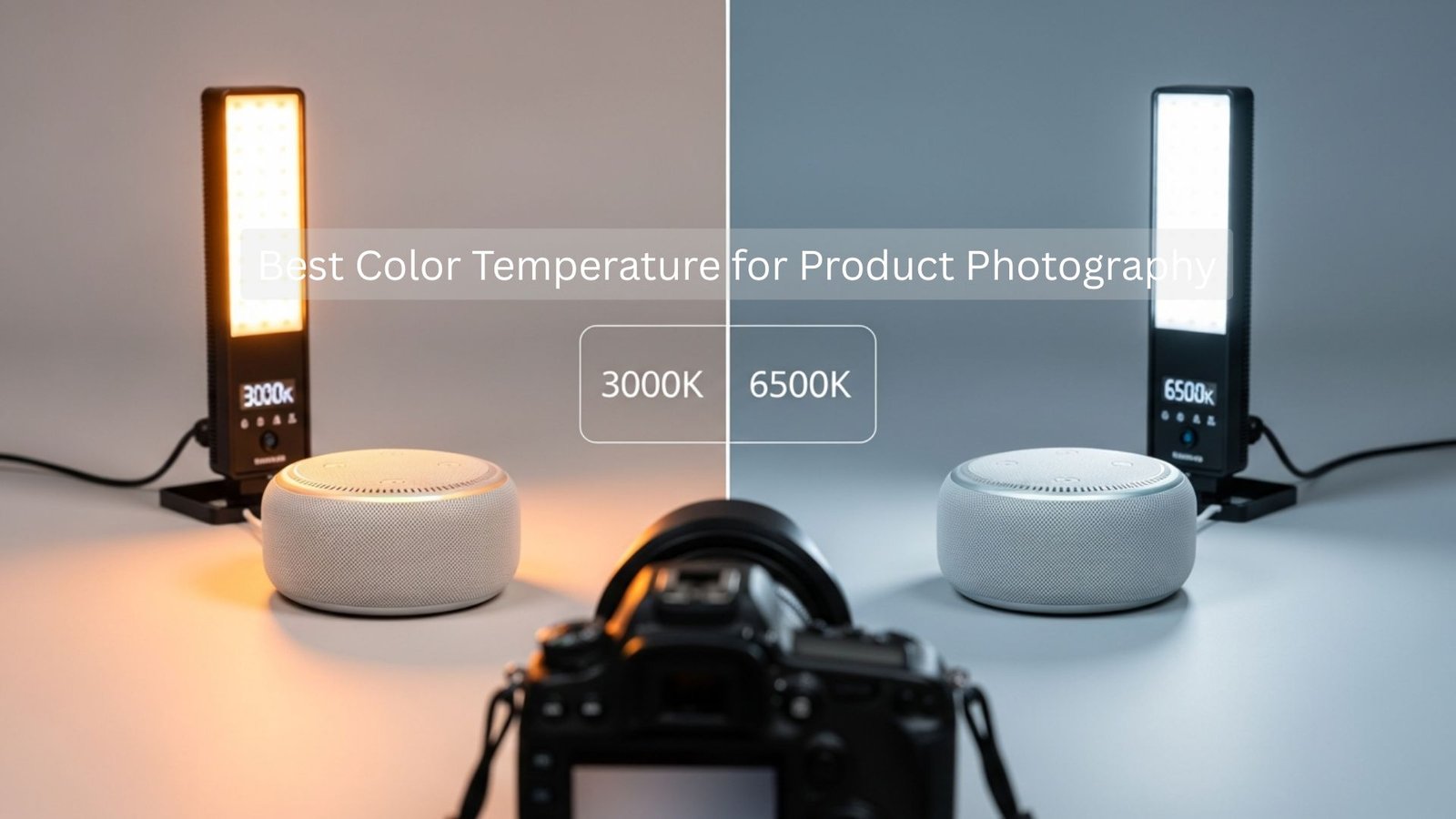
When you are preparing product photos for e-commerce, a few things matter as much as choosing the Best Color Temperature for Product Photography. It affects color accuracy, product trust, buyer expectations, and overall conversion rates. Whether you’re selling on Amazon, Shopify, Etsy, Walmart, or your own website, customers expect the product they receive to match the photos you show them. The problem is that the wrong color temperature can shift colors, make products look dull or unrealistic, or even cause negative reviews because the color doesn’t match the buyer’s expectations.
That’s why understanding the Best Color Temperature for Product Photography is essential for every seller, photographer, or brand. In this article, we’ll explore the ideal Kelvin ranges, what Amazon and Shopify actually prefer, how different products behave under different temperatures, and how you can avoid the common mistakes beginners make. Everything is explained in simple language, so you won’t need any technical background to understand it. And because this article is intended for aitinsider’s visitors, you will also find helpful insights for editing, correcting, and enhancing product images during post-processing.
Let’s get started.
Understanding Color Temperature in Product Photography
Before choosing the Best Color Temperature for Product Photography, it helps to understand what color temperature actually means. In photography, color temperature is measured in Kelvin (K) and describes how warm or cool the light appears. Lower Kelvin numbers create warm, yellowish light, while higher Kelvin numbers create cool, bluish light. Natural sunlight during midday sits around 5500–6500K, which is why many photographers choose this range as their default for product photography.
Warm light can make a product appear cozy, soft, or golden, but it may distort true product color. Cool light makes a product look clean and crisp, but it can wash out skin tones or cause metallic objects to look harsher. Therefore, the Best Color Temperature for Product Photography is a balance between warmth, accuracy, and clarity. E-commerce is all about trust, and choosing the right color temperature ensures customers see the real product, not a color-shifted version that could lead to returns or negative feedback.
Understanding this simple concept will make you more confident when setting up your studio lights, working with natural light, or adjusting settings on your camera. Even if you use LED panels, softboxes, flashes, or window light, the principle is the same: accurate color requires consistent color temperature.
Why Color Temperature Matters for Amazon and Shopify Sellers
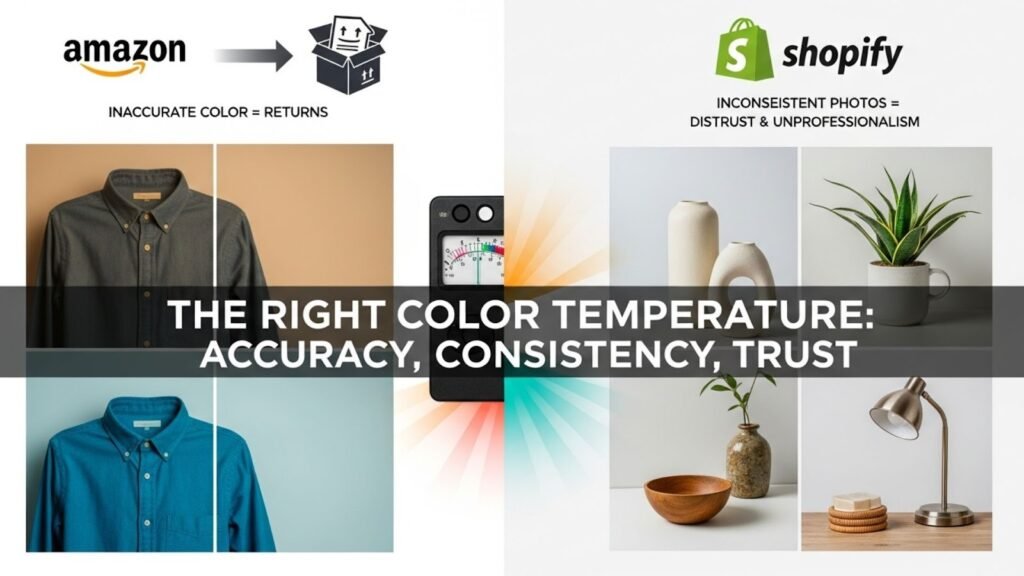
When selling on platforms like Amazon and Shopify, your images are more than photos; they are your digital storefront. Customers cannot touch or feel the product, so they rely completely on the image’s accuracy. That’s why the Best Color Temperature for Product Photography is important not only for aesthetics but for business results.
Amazon is extremely strict about color accuracy because color complaints lead directly to returns. If you sell clothing, makeup, shoes, décor items, electronics, or any product where the shade matters, using the wrong color temperature can be expensive. Warm lighting may make a blue shirt look teal. Cool lighting may make a cream-colored product look white. These errors confuse customers and increase return rates.
Shopify sellers face a different challenge. Shopify stores rely heavily on branding and style. While Amazon demands clean, white-background images, Shopify allows more creative control. Even so, bad lighting or incorrect color temperature will make your product photos inconsistent, and inconsistency reduces the perceived professionalism of your store. When shoppers sense randomness in photo color, they subconsciously feel the store is less trustworthy.
So whether you’re working with Amazon’s strict guidelines or Shopify’s flexible storefronts, the Best Color Temperature for Product Photography is one that delivers accuracy, consistency, and brand reliability.
The Ideal Kelvin Range for E-Commerce Product Images
The most commonly recommended range for the Best Color Temperature for Product Photography is 5000K to 5600K. This range is considered “daylight balanced” and is the closest match to natural midday sunlight. It creates a neutral color tone that does not lean too warm or too cool. This is especially important for Amazon listings.
Most professional studios use 5500K as their standard for product photos. This is because:
It looks natural and realistic.
It ensures true color representation.
It creates even skin tones if models are included.
It works well with white backgrounds.
It matches the color temperature of most continuous LED or flash lights.
For Shopify, you can go slightly warmer for lifestyle images, around 4800K to 5200K, if your aesthetic calls for warmth. But even then, the product detail shots should remain in the standard e-commerce range (5000–5600K). Keeping this consistency ensures the product always looks the same across media.
Therefore, no matter which platform you’re selling on, the Best Color Temperature for Product Photography almost always falls between these values because it offers the perfect balance of accuracy and visual appeal.
Warm vs. Cool Light: Which Is Better for Product Photos?
Understanding the difference between warm and cool light helps you choose the Best Color Temperature for Product Photography, depending on your product type.
Warm lighting, ranging from 3000K to 4500K, adds a soft, cozy, and inviting feel. It is great for lifestyle photos, food photography, and interior décor scenes. However, it can distort color in product catalog photos. Warm light tends to add yellow or orange tones, which may misrepresent true color.
Cool lighting, above 6500K, makes products appear cold and overly sharp. It can be useful for tech products or clinical medical items, but is usually too harsh for general e-commerce. Cool lighting also tends to produce blueish shadows, making products look washed out or unnatural.
Neutral daylight-balanced lighting,5000K to 5600K, is the recommended Best Color Temperature for Product Photography because it doesn’t introduce strong color casts. It captures the product as it truly appears and ensures consistency across platforms.
Choosing between warm, cool, and neutral lighting depends on whether the photo is functional or creative. For Amazon’s white-background images, always choose neutral lighting. For Shopify lifestyle photos, warm lighting is acceptable as long as the product’s actual color is still accurate.
Color Temperature for Different Types of Products
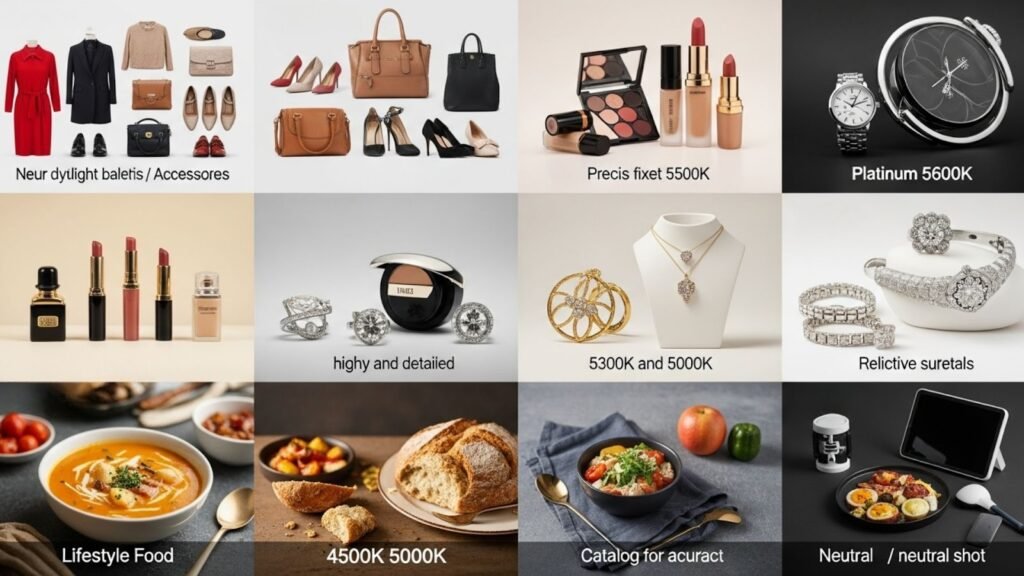
Different products behave differently under certain lighting conditions. That’s why the Best Color Temperature for Product Photography can vary slightly depending on the category. Here’s a breakdown, written in paragraph form as you requested.
For fashion items such as clothing, shoes, bags, and accessories, neutral daylight-balanced lighting is the most accurate choice. Colors in textiles shift easily under warm or cool lighting. A red dress may look orange under warm light, and a beige sweater may look gray under cool light. To prevent customer complaints, always keep your Kelvin value steady between 5200K and 5600K when photographing fashion.
Cosmetic products are even more sensitive to light. Lipstick, foundation, and eyeshadow colors must be precise. If you are photographing makeup, using a fixed 5500K setting is the most reliable approach. Some brands prefer 5000K for a slightly softer tone, but anything below that risks adding unwanted warmth.
Jewelry behaves differently because reflective surfaces can pick up color casts from the environment. When shooting gold, diamonds, silver, or platinum items, aim for 5300–5600K. This prevents reflections from appearing too blue or too yellow. Jewelry photography is one area where the Best Color Temperature for Product Photography must remain extremely controlled, or the final image will look inconsistent.
Food photography often benefits from slightly warm lighting, usually around 4500–5000K. This enhances food texture and makes meals appear more appetizing. However, when food is sold on e-commerce platforms like Amazon Fresh, neutral lighting is still recommended for accuracy. Lifestyle food photos can be warm; catalog photos must be neutral.
Tech products, electronics, and gadgets look best under slightly cooler daylight temperatures around 5500–6000K. This gives them a crisp, modern feel. Using warm light on tech items can make them appear outdated or dull.
Home décor, furniture, and artwork depend heavily on accurate representation. Wooden furniture, for example, can appear overly yellow under warm light or too gray under cool light. Neutral daylight-balanced lighting is the safest option for these products.
In all these categories, the Best Color Temperature for Product Photography is always the one that keeps color honest and consistent, regardless of product type.
Why Mixed Lighting Ruins Product Photos
If there is a single mistake that can ruin a product photo instantly, it is the use of mixed lighting. Mixed lighting happens when two different color temperatures are present in the same scene, for example, sunlight mixed with a warm indoor lamp, or a cool LED panel placed next to a daylight-balanced softbox. This leads to patches of different colors in your image, making the product appear uneven or stained.
This is why professional photographers always ensure all lights match the same Kelvin value. They do not mix warm and cool light sources. When all lights have the same temperature, the final image looks clean, balanced, and professional. This consistency is crucial when applying the Best Color Temperature for Product Photography, because even the best Kelvin range won’t work if a second light source interferes.
If you want your photos to look uniform, especially for Amazon, turn off all additional room lights, block windows if needed, and rely only on your controlled light sources.
Color Temperature for Lifestyle vs. Studio Product Images
Lifestyle product photography gives you more room for creativity, but the challenge is maintaining color accuracy while still achieving a warm, natural, and story-driven look. Many beginners assume lifestyle photos can be shot with any lighting because they look “natural,” but that’s not true. Even lifestyle photos need to follow the rules of the Best Color Temperature for Product Photography to avoid misrepresenting the product.
For studio images, especially Amazon product photos, you must always stick to neutral daylight-balanced lighting between 5000K and 5600K. Studio shots are meant to show the product exactly as it is. Customers rely on these images to understand size, color, shape, and texture, so accuracy is everything.
Lifestyle images, however, may use slightly different color temperatures to match a particular mood. For example, a cozy living room scene showing a candle or home décor item may benefit from a warmer tone around 4000K to 4800K. This helps the environment feel inviting. But even in lifestyle photography, the product itself must not shift color. You can warm up the background slightly through lighting or editing, but the product should remain neutral and accurate.
Therefore, the Best Color Temperature for Product Photography depends on the balance between creativity and accuracy. Studio catalog images must be neutral, while lifestyle images can be a touch warmer as long as the product stays true-to-life.
How White Balance Influences Color Temperature
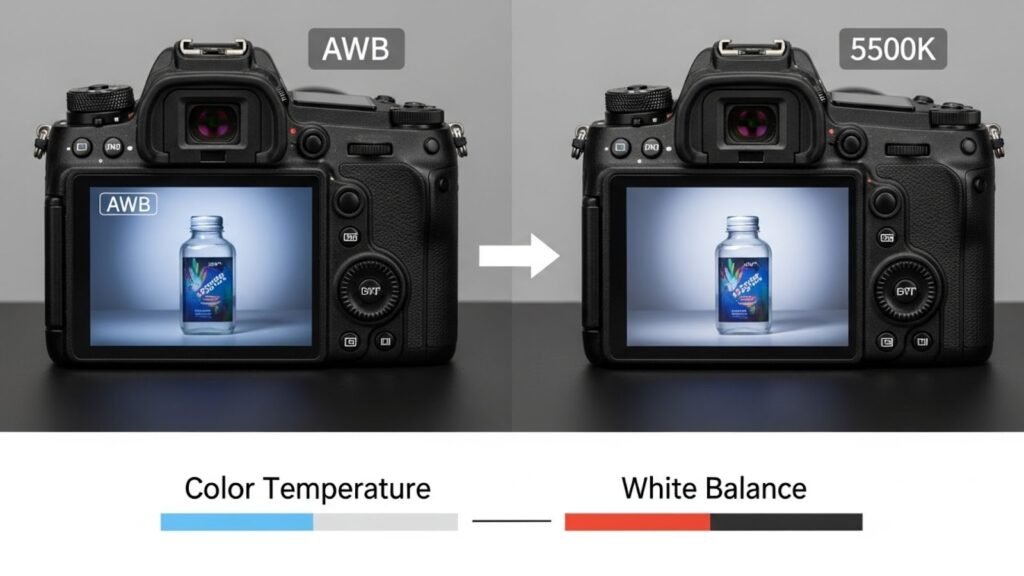
Many people confuse color temperature with white balance, but while they are related, they are not the same thing. White balance is your camera’s way of interpreting the lighting conditions in the image. Even if you set the lighting to the Best Color Temperature for Product Photography, your camera may misinterpret the colors if the white balance is off.
For example, if your lights are set to 5500K but your camera is set to Auto White Balance (AWB), it may decide the scene is warmer or cooler and compensate incorrectly. This leads to color inaccuracies that make your product look wrong. This is why most professional product photographers manually set their white balance to match the Kelvin value of their lights.
If you’re shooting with continuous LED lights set to 5600K, set your camera white balance to 5600K as well. If you’re using a flash that outputs around 5500K, set the white balance accordingly. This keeps everything consistent and ensures your product colors remain truly accurate.
White balance is one of the most overlooked elements in capturing the Best Color Temperature for Product Photography, because even perfect lighting cannot save an image if the camera misinterprets the scene. Whether you shoot RAW or JPEG, always make sure your white balance matches your actual lighting temperature. RAW files give you more editing flexibility, but getting it correct in-camera is still better for your workflow.
Choosing the Right Lights for Perfect Color Temperature
The lights you use in your setup determine whether you can achieve the Best Color Temperature for Product Photography consistently. Not all lights are created equal. Some shift color over time, some flicker, and others have weak CRI (Color Rendering Index). CRI is extremely important because it measures how accurately a light source reveals color. A CRI rating above 95 is ideal for product photography.
LED lights are popular because they allow you to adjust Kelvin values, making it easier to stay in the 5000–5600K window. High-quality LED panels with adjustable color temperature are perfect for both Amazon and Shopify sellers. Brands like Godox, Aputure, Neewer, and Nanlite offer excellent Kelvin consistency.
Flash or strobe lighting is also an excellent choice because flashes typically stay around 5500K by default. Flashes are more powerful, freeze motion, and produce ultra-clean images. If you use flash, you don’t need to worry about adjusting color temperature every time, as flashes are more stable than LED lights.
The key is consistency. Use lights that do not drift in temperature. Avoid cheap household bulbs or lamps, because they produce inconsistent light that ruins the Best Color Temperature for Product Photography and creates ugly color casts. If you want clean, accurate, high-converting product photos, invest in proper lighting equipment.
Avoiding Color Shifts in Amazon Product Listings
Amazon is incredibly strict about color accuracy. They receive constant returns due to products looking different in real life than in photos. If your product looks even slightly different under your lighting, your listing may get negative reviews or a high return rate.
The first step is ensuring your lighting stays within the 5000–5600K range. The second step is ensuring your background is pure white. Amazon requires a white background, and the good news is that the Best Color Temperature for Product Photography naturally works well with white backgrounds. Neutral daylight keeps both the product and the background true to color without adding strange shadows.
Another issue is color pollution from surrounding objects. Even if your lights are perfect, the product may reflect unwanted color from walls, clothing, or props. Using neutral-colored surroundings, white foam boards, and light reflectors will help eliminate these issues.
Many Amazon sellers wonder why their images look yellow or blue even though they used “good lights.” The answer is either mixed lighting or incorrect white balance. Turn off all additional lights, block windows, and rely only on your studio lights. Then match your white balance to your Kelvin setting.
Finally, in post-production, color correction is essential. Even well-lit photos benefit from fine-tuning. That’s where professional editing support like aitinsider becomes invaluable. We’ll talk about that soon.
Editing Tips for Correcting and Perfecting Color Temperature
Even when you capture the image correctly, editing is crucial to ensure consistent and polished results. Post-processing helps refine the Best Color Temperature for Product Photography and correct any minor issues that occurred during the shoot.
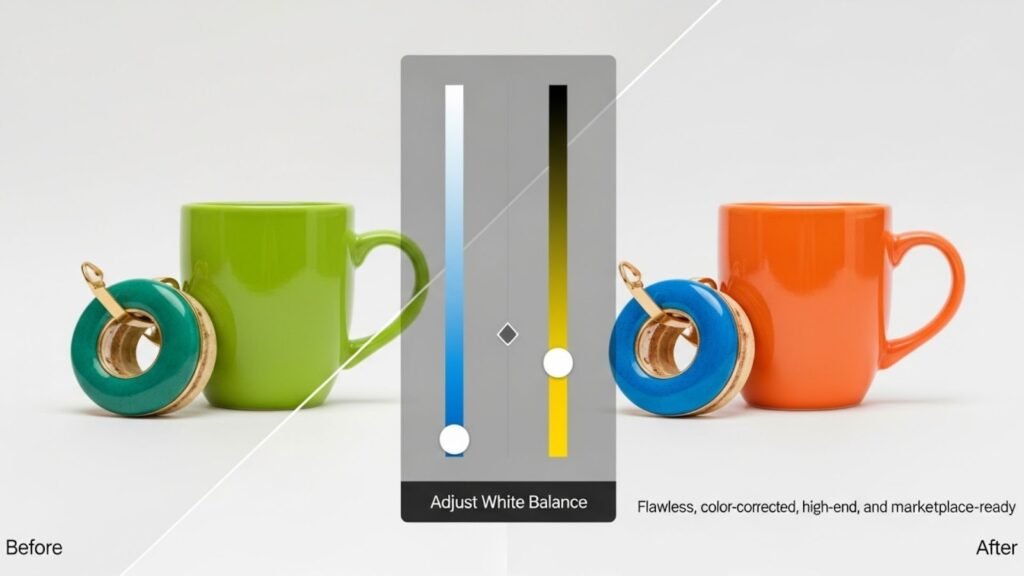
In editing software like Lightroom or Photoshop, adjusting the white balance slider allows you to fine-tune temperature and tint. This is especially useful if you’re shooting in RAW because RAW files contain more color information. If a photo appears too warm, you can slide the temperature toward blue. If it’s too cool, you can move it toward yellow.
Another important part of editing is removing color casts. White backgrounds, reflective objects, and glossy surfaces can capture unwanted hues from the surroundings. Using selective color adjustments, hue sliders, and local correction tools helps keep the product true to its actual color.
Consistency is key. All photos in a product listing should match each other perfectly. If one image looks slightly warmer and another slightly cooler, customers may think the product differs between images. That hurts trust and conversions.
If you want your product images to look flawless, color-corrected, high-end, and marketplace-ready, aitinsider offers professional editing services including background removal, color correction, shadow enhancement, retouching, and more. We ensure your images meet Amazon and Shopify standards while maintaining perfect accuracy.
How Consistency Affects Buyer Trust
One of the biggest mistakes new sellers make is creating product photos that look different from each other. Even if each photo is technically good, inconsistency within a product listing hurts conversions. If one photo has warm tones and another has cool tones, the product appears unreliable. Customers need visual confirmation that they are buying what they see.
This is why staying within the Best Color Temperature for Product Photography is essential, not just for one image but for every image in the entire listing. Sellers who maintain consistent lighting and editing enjoy:
Higher add-to-cart rates
Lower return rates
Better customer trust
More professional-looking storefronts
Higher brand credibility
Consistency is often the deciding factor between amateur and professional product photography. And consistency begins with controlling color temperature and white balance.
Final Recommendations for Amazon & Shopify Sellers
If you want a quick summary of the Best Color Temperature for Product Photography, here it is in clear, simple terms:
Use 5000–5600K for all product catalog images.
Match your camera’s white balance to your lighting temperature.
Avoid mixed lighting at all costs.
Use high-CRI continuous lights or flashes to maintain accuracy.
Keep editing consistently across all images.
Use warm tones only for lifestyle photos, not for catalog images.
Following these simple but powerful rules ensures your product images look professional, trustworthy, and platform-approved.

Final Thoughts and How aitinsider Can Help You
Choosing the Best Color Temperature for Product Photography is one of the most important steps in creating high-converting product listings. Whether you sell on Amazon, Shopify, or another marketplace, customers expect your images to be accurate, clear, and consistent. The right color temperature helps you achieve this by eliminating color shifts, reducing returns, improving visual appeal, and building long-term trust with your audience.
But perfect lighting alone isn’t enough. Editing plays a critical role in creating polished and professional product photos. This is where aitinsider comes in. We specialize in high-end product photo editing designed specifically for e-commerce sellers. Whether you need background removal, color correction, shadow creation, product cleanup, or full retouching, our team ensures your product looks flawless and marketplace-ready.
If you want images that attract attention, convert customers, and represent your brand at the highest level, aitinsider is here to help you every step of the way.
Just send us your product photos, we’ll take care of the rest.