
If you work with video every day, you already know one hard truth: storage can make or break your workflow. Slow drives, missing files, failed backups, and limited space can easily turn an exciting, creative project into a stressful experience. That is exactly why Nas for Video Editing has become such a popular topic among content creators, YouTubers, filmmakers, and post-production teams.
In this guide, I’ll walk you through everything you need to know about Nas for Video Editing in a simple, friendly way. We’ll talk about what NAS really is, why it matters for faster rendering and reliable backup, and how to choose the best NAS devices when you are comparing products before making a purchase. This article is written especially for creators who want clarity, not confusion.
Before jumping into buying decisions, it’s important to understand what NAS actually is. NAS stands for Network Attached Storage. In simple terms, it is a smart storage device connected to your network that allows multiple users or systems to access files at the same time.
For Nas for Video Editing, this means your video files are no longer locked inside one computer or scattered across external drives. Instead, everything lives in one central place. Your raw footage, project files, exports, and backups stay organized, accessible, and secure.
Unlike a normal external hard drive, NAS works continuously. It can be accessed by your editing PC, laptop, or even multiple editors at once. This makes Nas for Video Editing especially powerful for studios, remote teams, and serious solo creators who value speed and reliability.
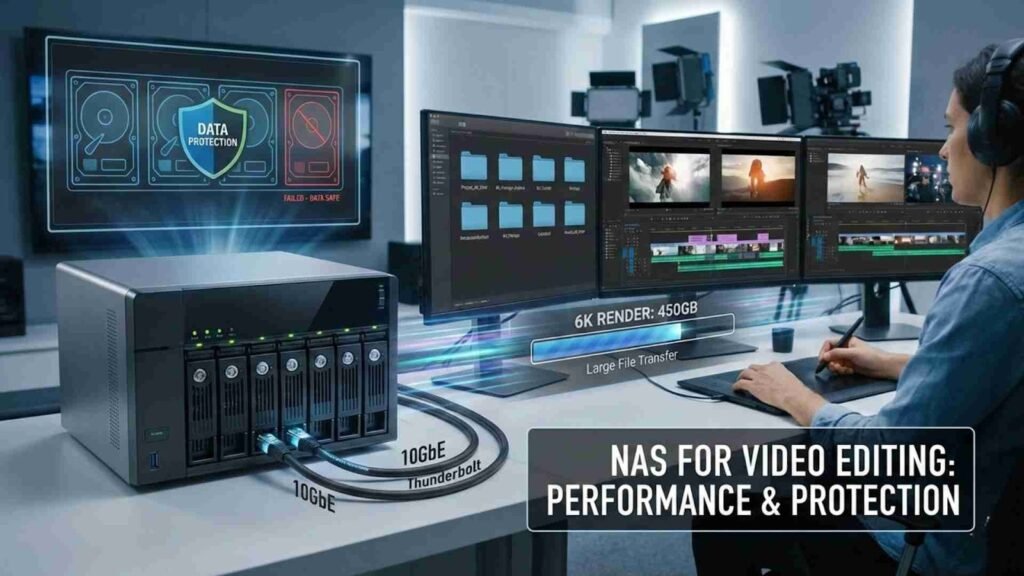
Video files are getting bigger every year. Even a short 4K project can eat hundreds of gigabytes, while 6K and 8K footage push storage limits even further. Traditional storage solutions struggle to keep up, and that’s where Nas for Video Editing really shines.
One major reason editors move to NAS is performance. Modern NAS devices support high-speed connections like 2.5GbE, 10GbE, or even Thunderbolt-enabled networking. This allows smoother timeline scrubbing, faster file transfers, and more efficient rendering workflows.
Another big advantage of Nas for Video Editing is data protection. Losing footage can mean losing money, time, and client trust. NAS systems are designed with redundancy, meaning if one drive fails, your data stays safe. This is a huge relief for professionals who cannot afford downtime.
Rendering speed is not only about CPU or GPU power. Storage plays a bigger role than many people realize. When your editing software constantly reads and writes large files, slow storage becomes a bottleneck.
With Nas for Video Editing, files are delivered faster and more consistently than standard USB drives. A properly configured NAS can handle multiple streams of high-resolution video without choking your system. This leads to smoother previews and fewer dropped frames during editing.
When rendering final exports, NAS helps by maintaining a stable data flow. Instead of waiting for files to load or cache, your system focuses on processing the video. Over time, this can save hours, especially for editors handling frequent revisions and long timelines.
Backup is often ignored until something goes wrong. Hard drives fail, systems crash, and files get accidentally deleted. Nas for Video Editing offers built-in backup solutions that work quietly in the background.
Many NAS devices allow automatic backups from your editing computer. This means your project files are constantly protected without manual effort. Some systems even offer cloud synchronization, adding another layer of safety.
For video editors working with clients, this reliability is critical. Having a NAS ensures that every version of a project can be recovered if needed. That peace of mind alone makes Nas for Video Editing a smart investment.
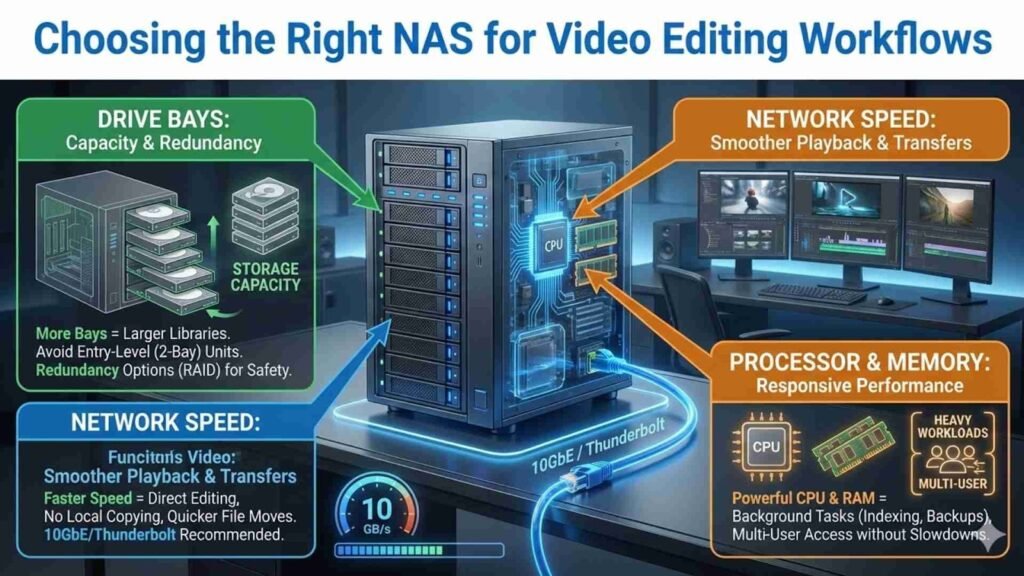
When comparing NAS devices, it’s easy to feel overwhelmed by technical terms. Instead of focusing on brand names alone, it’s better to understand what features truly matter for Nas for Video Editing.
Drive bays are an important factor. More bays mean more storage capacity and better redundancy options. Editors working with large libraries should avoid entry-level NAS units that fill up quickly.
Network speed is another key consideration. A NAS with faster network support ensures smoother playback and faster file transfers. This is especially important if you plan to edit directly from the NAS rather than copying files locally.
Processor and memory also matter. A powerful NAS can handle file indexing, background backups, and multi-user access without slowing down. This keeps your Nas for Video Editing setup responsive even under heavy workloads.
Overview: The Synology DS1823xs+ is a top-tier choice if you want strong performance, great scalability, and reliable data protection. It’s ideal for teams or individual creators who need fast access to large 4K/8K video files.
Key Specifications:
Overview: The QNAP TVS-h874 is a premium NAS designed for creative professionals. With lots of RAM and a powerful CPU, it handles big video files smoothly and supports ultra-fast networks.
Key Specifications:
Overview: If your workflow involves huge amounts of footage or you want scalable storage, the Terramaster T12-450 delivers big capacity with fast transfer potential — perfect for heavier video editing and storage.
Key Specifications:
Overview: The QNAP TS-h973AX-8G offers a great mix of power and versatility. It’s perfect if you want significant storage space with high-speed network performance to support multi-editor environments.
Key Specifications:
Overview: Asustor has built several NAS models ideal for video editing — efficient, reliable, and fast. The AS5402T is great for smaller teams or solo editors, while the AS6508T scales up for heavier workloads.
Key Specifications:
When you compare these Nas for Video Editing devices, focus on:
These specs help large video files flow faster between your NAS and editing software — speeding up exports, backups, and real-time playback.
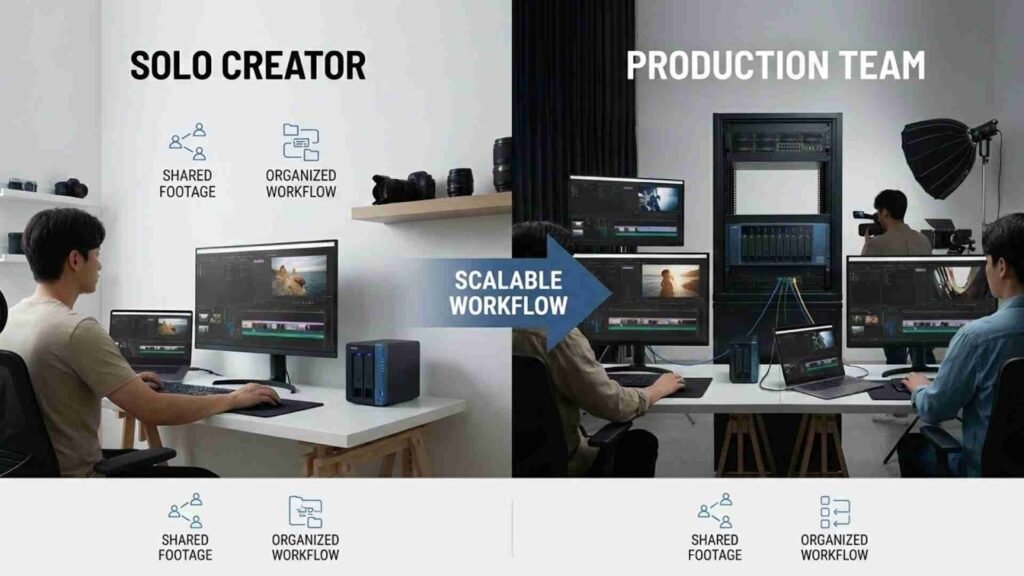
Not all editors have the same needs. A solo YouTuber and a production studio will use Nas for Video Editing differently. Solo creators often want simplicity, quiet operation, and enough storage for growing content libraries.
For teams, collaboration becomes the main focus. NAS allows multiple editors to work on shared footage without duplicating files. This saves space and reduces confusion over file versions.
In both cases, NAS improves efficiency. Whether you are editing alone or with others, Nas for Video Editing creates a cleaner, more organized workflow that scales as your projects grow.
Many editors start with external drives because they are affordable and easy to use. While external drives work for basic storage, they have limitations that become clear over time.
External drives are often slower, easier to damage, and harder to manage. You need to plug and unplug them constantly, which increases wear and risk of data loss. In contrast, Nas for Video Editing stays connected and protected at all times.
NAS also centralizes your data. Instead of juggling multiple drives, everything lives in one secure system. For editors comparing solutions, NAS clearly stands out as a long-term investment rather than a temporary fix.
One of the biggest advantages of Nas for Video Editing is scalability. As your projects grow, you can add more drives instead of replacing your entire storage setup.
This flexibility is important for creators planning long-term growth. You might start with a few terabytes today, but next year you could be managing dozens of client projects at once. NAS grows with you.
Future-proofing also applies to performance. Many NAS devices support upgrades, such as faster network cards or additional memory. This means your Nas for Video Editing setup stays relevant even as technology evolves.
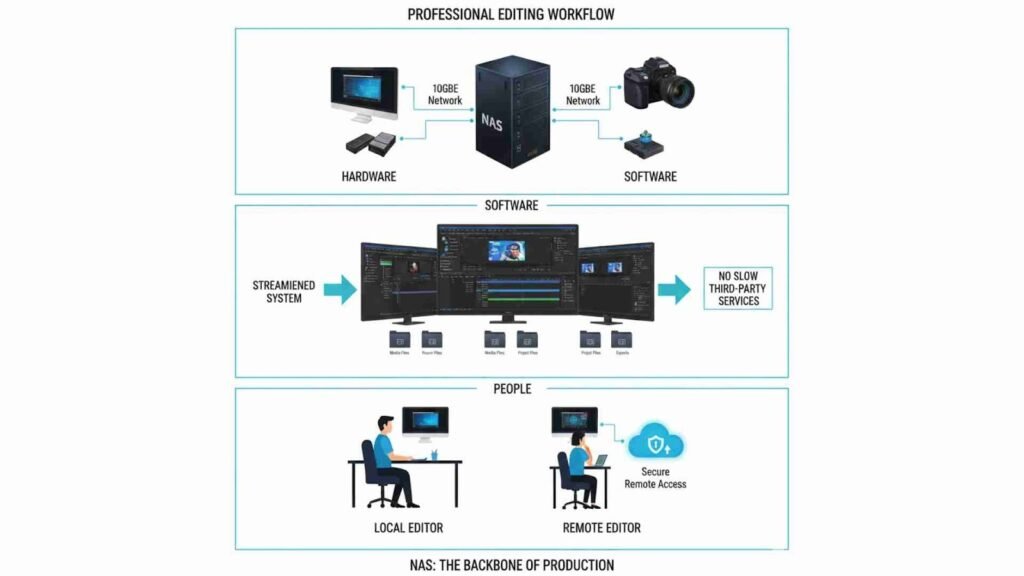
A professional editing workflow is about efficiency, not shortcuts. NAS integrates smoothly with popular video editing software and operating systems. Editors can store media files, project files, and exports all in one place.
For remote teams, NAS can even support secure remote access. Editors can upload or download files without relying on slow third-party services. This keeps projects moving forward without delays.
In a professional environment, Nas for Video Editing becomes the backbone of production. It connects hardware, software, and people into one streamlined system.
One common mistake is buying a NAS that is too weak. Entry-level models may work for backups but struggle with active video editing. Always consider performance needs before purchasing.
Another mistake is ignoring network infrastructure. A powerful NAS won’t perform well on a slow network. Proper cables, switches, and adapters are part of a successful Nas for Video Editing setup.
Finally, some buyers underestimate storage needs. Video files grow fast, and running out of space causes unnecessary stress. Planning saves money and frustration in the long run.
Choosing the right Nas for Video Editing is about balance. You want speed, reliability, and enough storage to support your creative goals. While NAS may cost more upfront than external drives, the long-term benefits often outweigh the initial investment.
For editors comparing products, NAS offers better performance, stronger data protection, and smoother workflows. It’s not just storage; it’s a productivity upgrade.

At aitinsider, we understand the challenges video editors face every day. Storage, performance, and workflow optimization are critical parts of successful video production. That’s why we not only share expert guides like this one but also provide professional Video Editing services tailored to your needs.
Whether you are a YouTuber, brand, or agency, aitinsider helps turn raw footage into polished, engaging content. If you want reliable editing support, faster turnaround times, and creative results that stand out, aitinsider is here for you.